Patient Profile: John Smith, 45 years old, concerned about diabetes risk due to family history and recent weight gain.
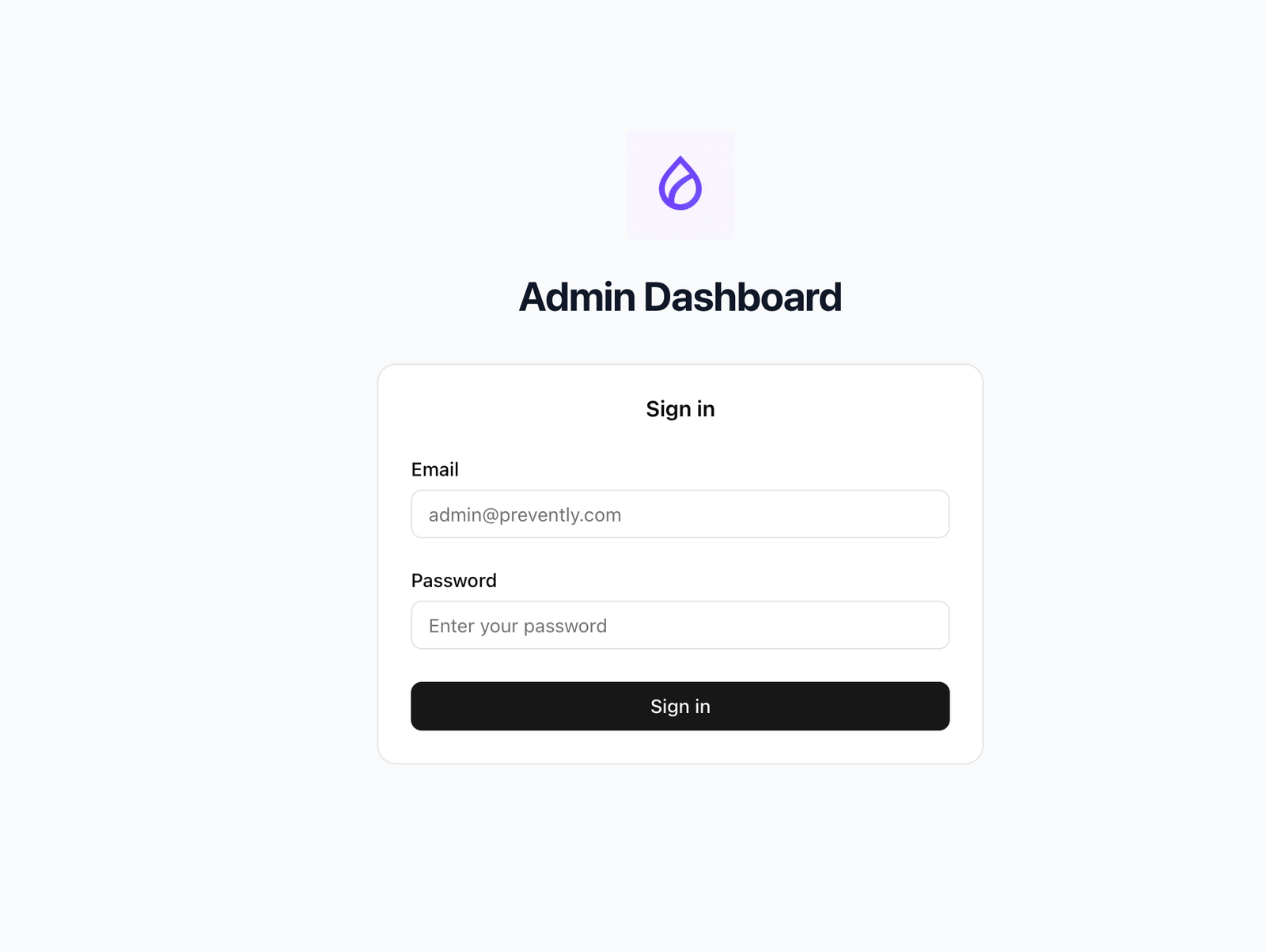
Screenshot: Doctor logging into Preventely Admin Dashboard
- Patient Arrival: John arrives at the clinic for diabetes risk assessment consultation
- Registration: Receptionist records basic information and reason for visit
- Doctor Login: Healthcare provider accesses the Preventely Admin Dashboard
- Consultation Setup: Doctor explains the assessment process and obtains consent
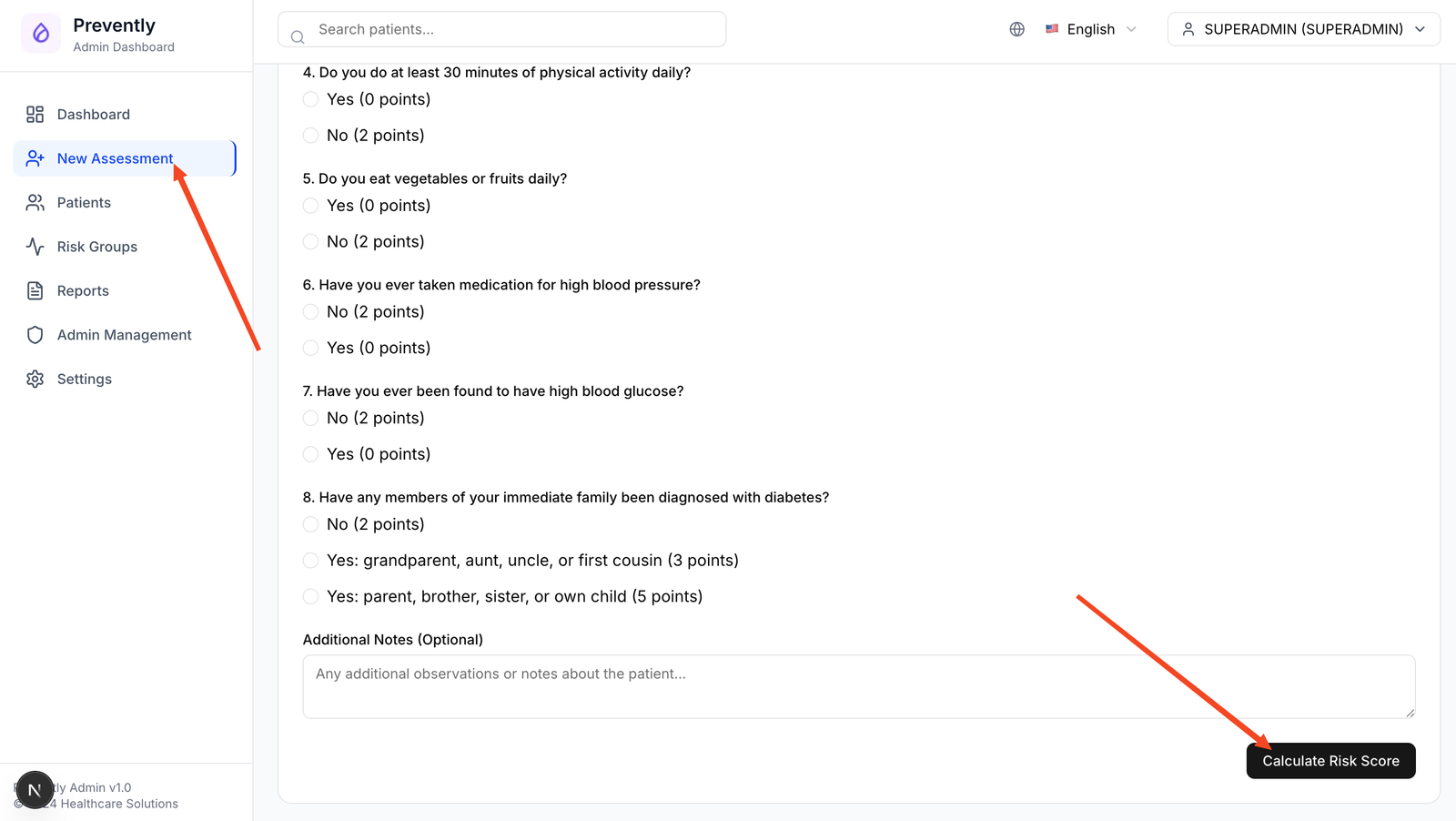
Screenshot: Doctor filling out FINDRISC assessment form with patient responses
- Navigate: Click "New Assessment" in the admin dashboard sidebar
- Patient Details: Enter John's information:
- Name: John Smith
- Email: john.smith@email.com
- Phone: +31-123-456-789
- FINDRISC Assessment: Complete questionnaire with John:
- Age: 45 years → 2 points
- BMI: 28.5 kg/m² → 1 point
- Waist: 98 cm → 3 points
- Physical activity: <30 min/day → 2 points
- Vegetables: Not daily → 1 point
- BP medication: Yes → 2 points
- High glucose: No history → 0 points
- Family history: Parent with diabetes → 5 points
- Result: Total score = 16 points = Group D (High Risk - 33% chance)
- Submit: Save assessment and trigger automatic email invitation
⚠️ High Risk Alert: John's score places him in the highest risk category requiring immediate intervention and continuous monitoring.
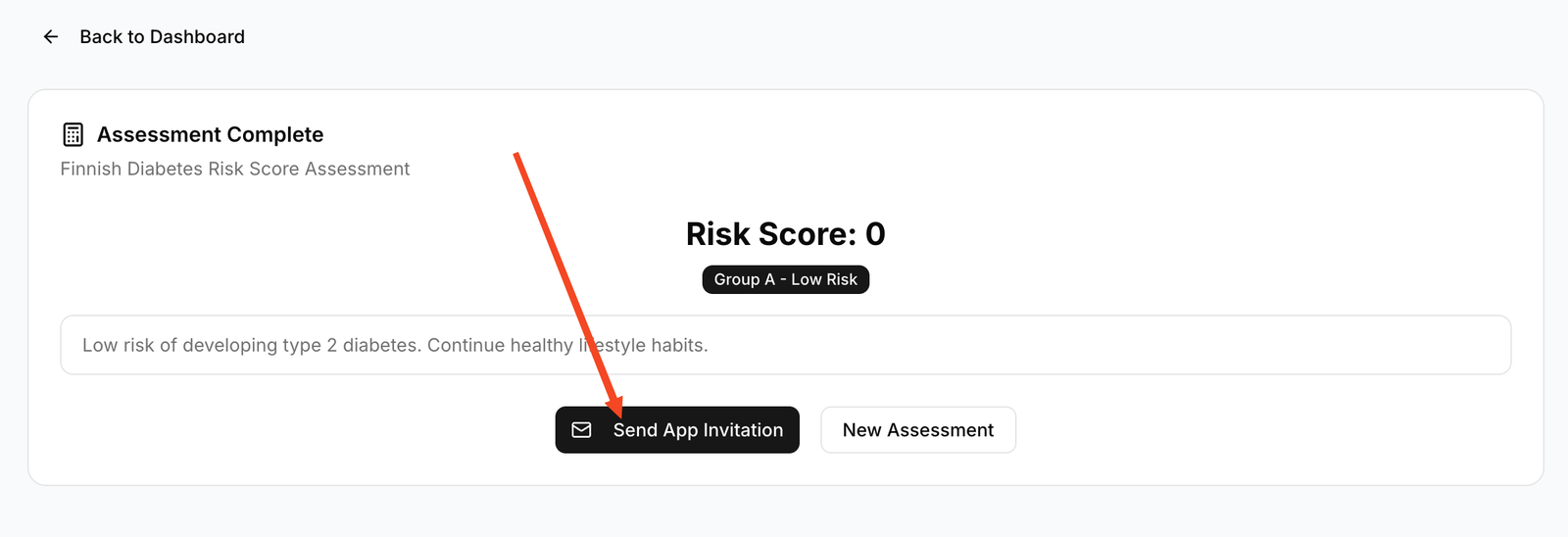
Screenshot: System confirmation showing email invitation sent to patient
- Automatic Email: System sends personalized invitation to john.smith@email.com
- Email Content: Includes risk assessment results, app download links, and next steps
- App Download: John downloads Preventely app from App Store/Google Play
- Account Creation: John creates account using invitation link and verification code
- Profile Setup: John completes initial profile with health goals and preferences
- Onboarding: App guides John through diabetes prevention education modules
💡 Patient Experience: The mobile app provides personalized content based on John's high-risk status, including immediate action items and educational resources.
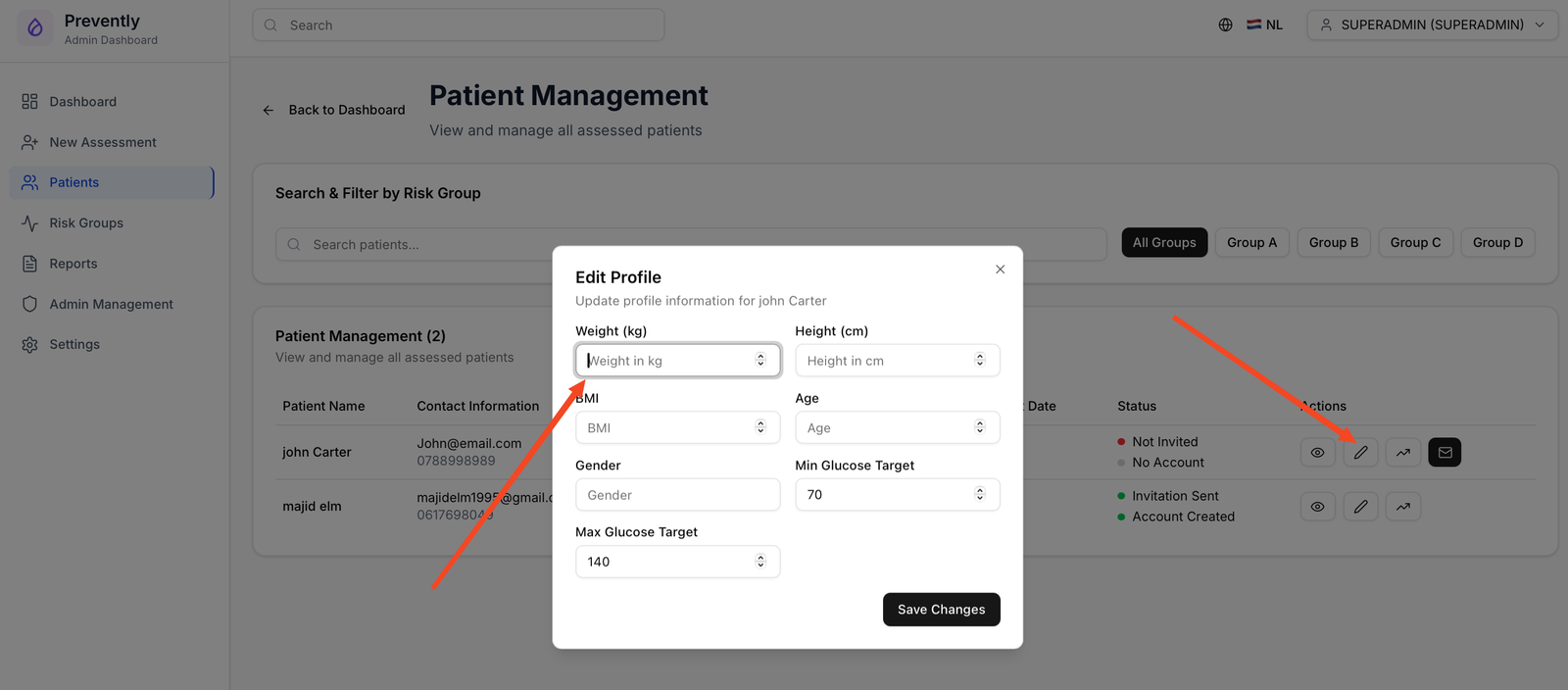
Screenshot: Doctor accessing patient list and editing John's profile in the admin dashboard
- Access Patients: Doctor clicks "Patients" in admin dashboard sidebar
- Find Patient: Search for "John Smith" in patient list
- Edit Profile: Click on John's name to open detailed patient view
- Update Measurements: Record current vital signs:
- Weight: 85 kg
- Height: 175 cm
- Blood Pressure: 140/90 mmHg
- Waist Circumference: 98 cm
- Medical History: Add relevant medical conditions and medications
- Save Changes: Update patient profile with baseline measurements
🔧 CGM Hardware Setup
- CGM Prescription: Doctor prescribes Dexcom G7 continuous glucose monitor
- Device Training: Clinic staff demonstrates proper CGM application and care
- Sensor Application: John applies first CGM sensor with clinic supervision
- Calibration: Initial 2-hour warm-up period and calibration process
📱 Dexcom Setup Process: Patient downloads the official Dexcom G7 mobile app and follows the setup wizard to pair their CGM device and create/login to their Dexcom account.
- Dexcom Account: John creates new Dexcom account or logs into existing one
- App Download: Download official Dexcom G7 mobile app
- Device Pairing: Pair smartphone with CGM sensor via Bluetooth
- Calibration: Complete initial calibration with fingerstick readings
- Data Verification: Confirm glucose readings are displaying correctly
- Share Setup: Enable Dexcom Share feature for data sharing
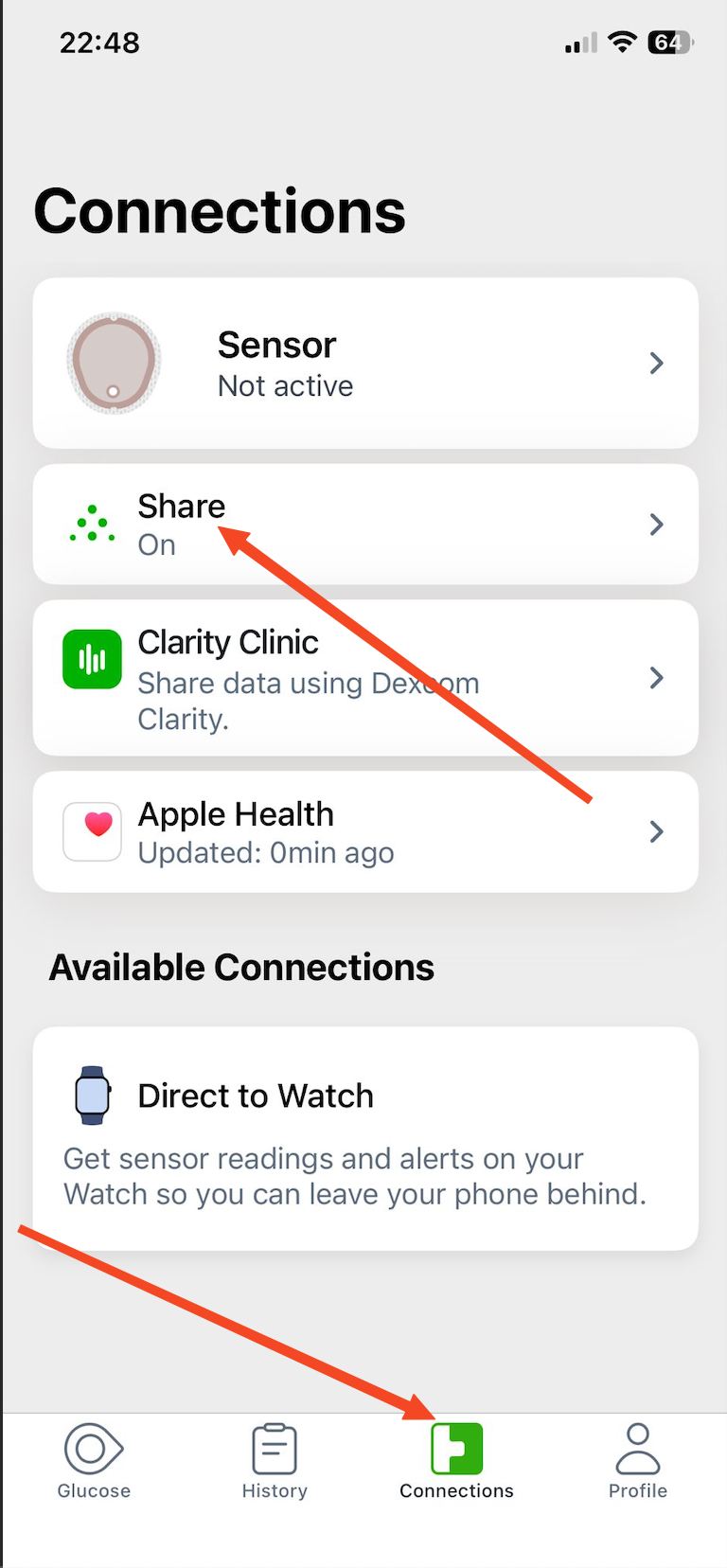
Screenshot: Patient enabling Dexcom Share feature to allow data sharing with Preventely app
📱 Technical Note: Dexcom Share allows real-time glucose data to be accessed by third-party applications like Preventely through secure API integration.
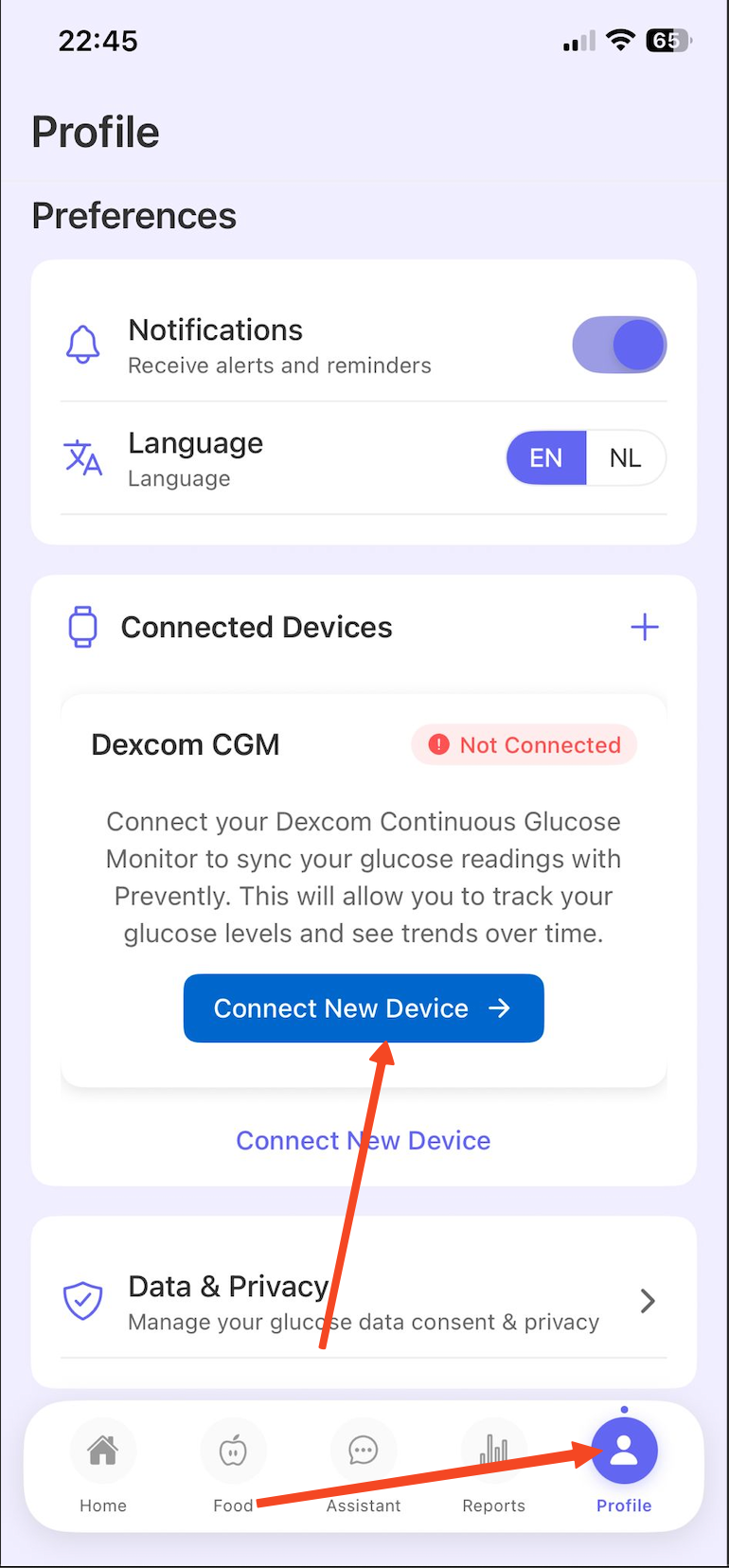
Screenshot: Patient connecting Dexcom data to Preventely mobile app
- Open Preventely App: John launches the Preventely mobile application
- CGM Integration: Navigate to "Connect Devices" or "Health Data" section
- Select Dexcom: Choose Dexcom from list of supported CGM devices
- Data Consent: Review and accept terms for glucose data sharing
- Dexcom Login: Enter Dexcom account credentials to authorize connection
- Verification: Confirm successful data sync and real-time glucose display
- Permissions: Grant necessary permissions for continuous data monitoring
🔐 Privacy & Security: All glucose data is encrypted and transmitted securely. John maintains full control over data sharing permissions.
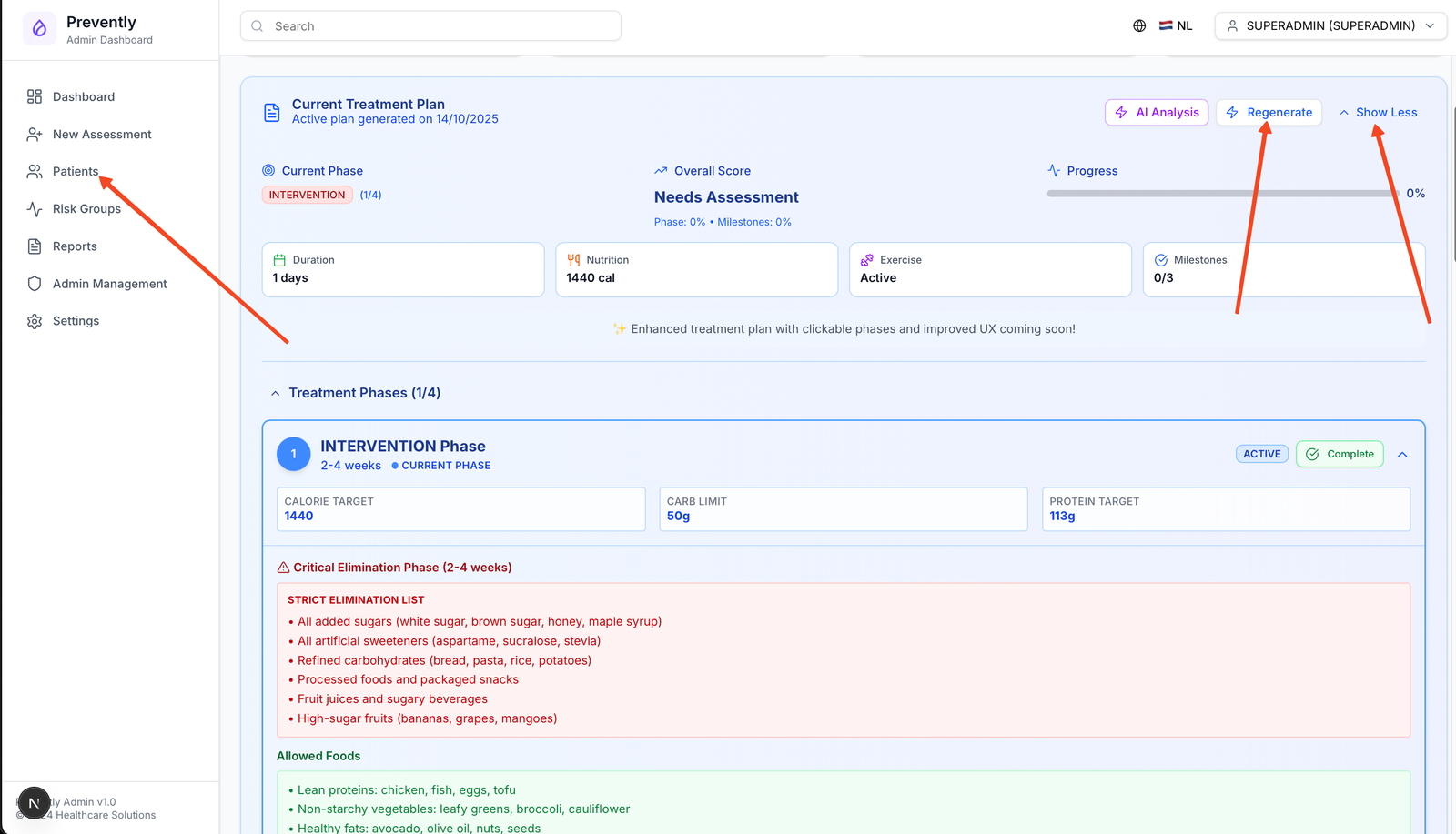
Screenshot: Doctor using AI system to create personalized treatment plan based on patient data
- Access AI Tools: Doctor navigates to "AI Treatment Plans" in admin dashboard
- Select Patient: Choose John Smith from patient list
- Data Analysis: AI analyzes:
- FINDRISC assessment results (16 points, Group D)
- Current vital signs and measurements
- Medical history and medications
- Initial CGM glucose patterns
- Plan Generation: AI creates comprehensive treatment plan including:
- Lifestyle modification recommendations
- Dietary guidelines and meal planning
- Exercise prescription
- Monitoring schedule
- Follow-up appointments
- Doctor Review: Healthcare provider reviews and customizes AI recommendations
- Plan Approval: Doctor approves and activates treatment plan
🧠 AI Insights: The system generates evidence-based recommendations tailored to John's specific risk factors, lifestyle, and glucose patterns.
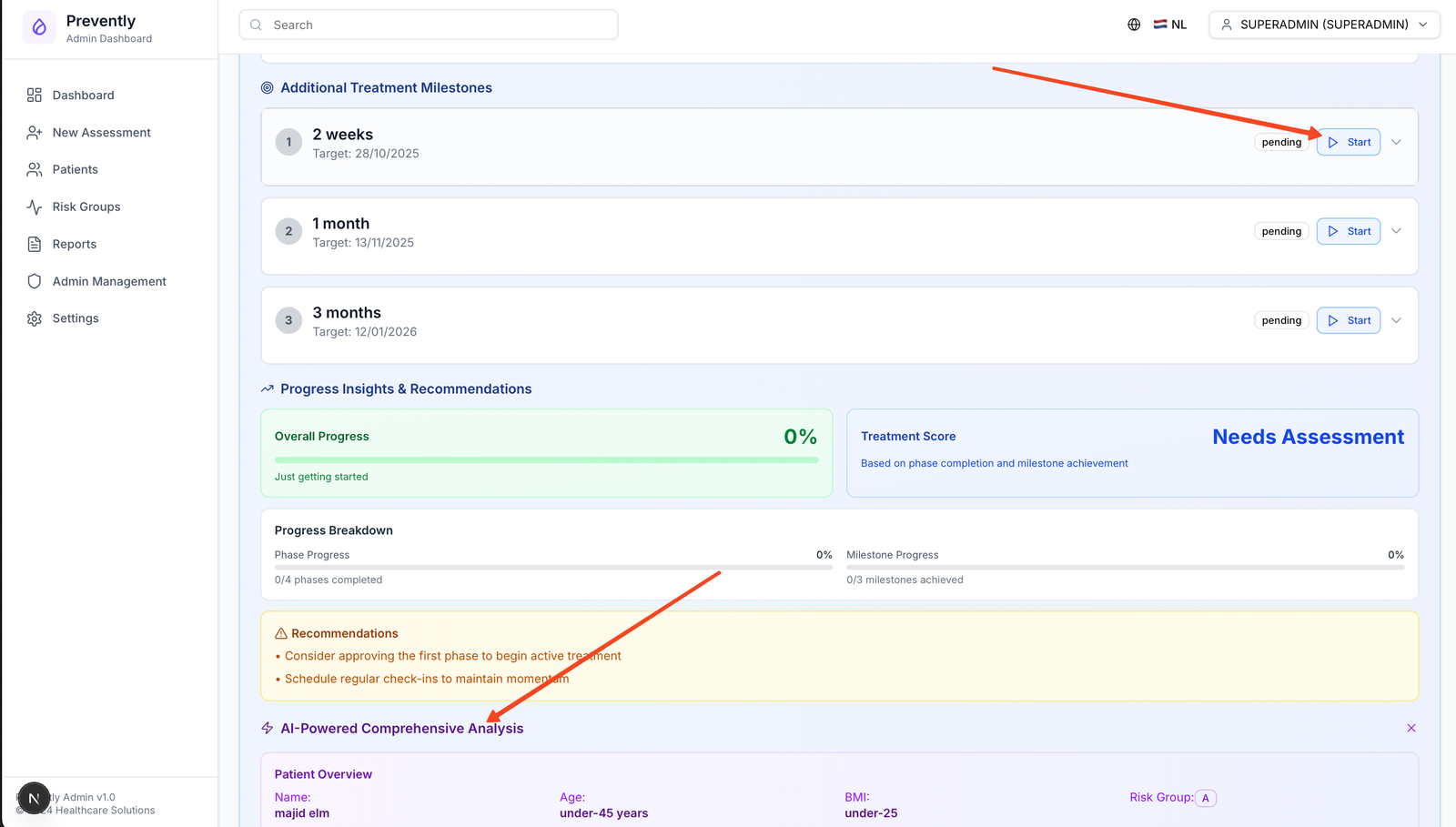
Screenshot: Doctor reviewing 14 days of CGM data and patient progress during follow-up visit
- Appointment Scheduling: John returns to clinic after 14 days of CGM monitoring
- Vital Signs Update: Nurse records new measurements:
- Weight: 83 kg (2 kg loss)
- Blood Pressure: 135/85 mmHg (improved)
- Waist Circumference: 96 cm (2 cm reduction)
- CGM Data Review: Doctor accesses 14 days of continuous glucose data
- Patient Interview: Discuss lifestyle changes, challenges, and adherence
- App Usage Review: Check patient engagement with mobile app features
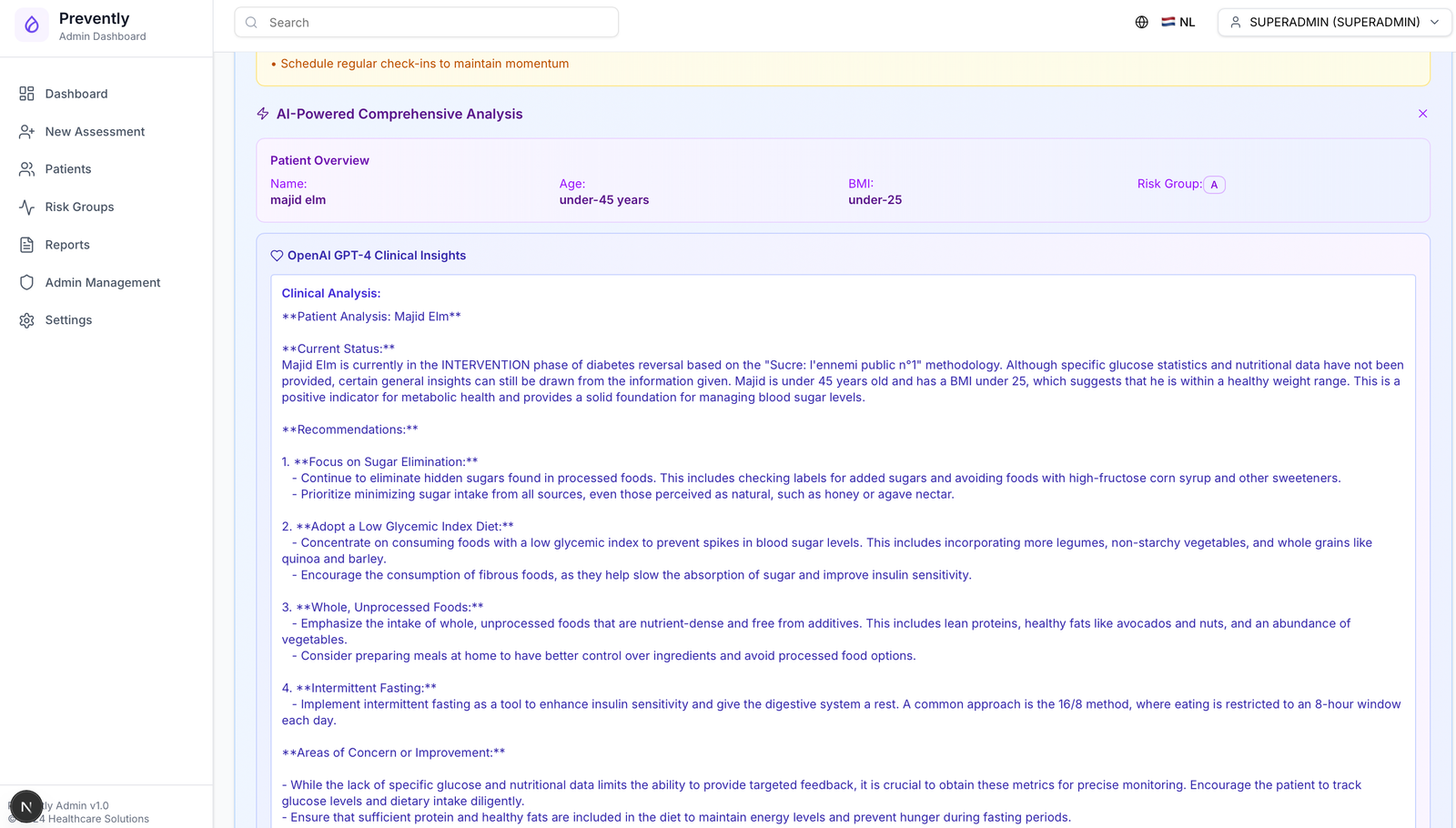
Screenshot: Comprehensive AI analysis showing patient progress and glucose patterns over 14 days
- Generate AI Report: Doctor clicks "Generate AI Insights" for John's 14-day period
- Glucose Pattern Analysis: AI identifies:
- Average glucose: 145 mg/dL (improved from estimated 160 mg/dL)
- Time in range (70-180 mg/dL): 78%
- Peak glucose times: Post-meal spikes at lunch
- Overnight glucose stability: Good control
- Lifestyle Correlation: AI correlates glucose with:
- Exercise sessions (improved post-exercise glucose)
- Meal timing and composition
- Sleep patterns and stress levels
- Progress Assessment: AI evaluates overall improvement and identifies areas for focus
- Recommendations Update: System suggests treatment plan modifications
📈 Positive Progress: John shows significant improvement with 2kg weight loss, better glucose control, and increased physical activity adherence.
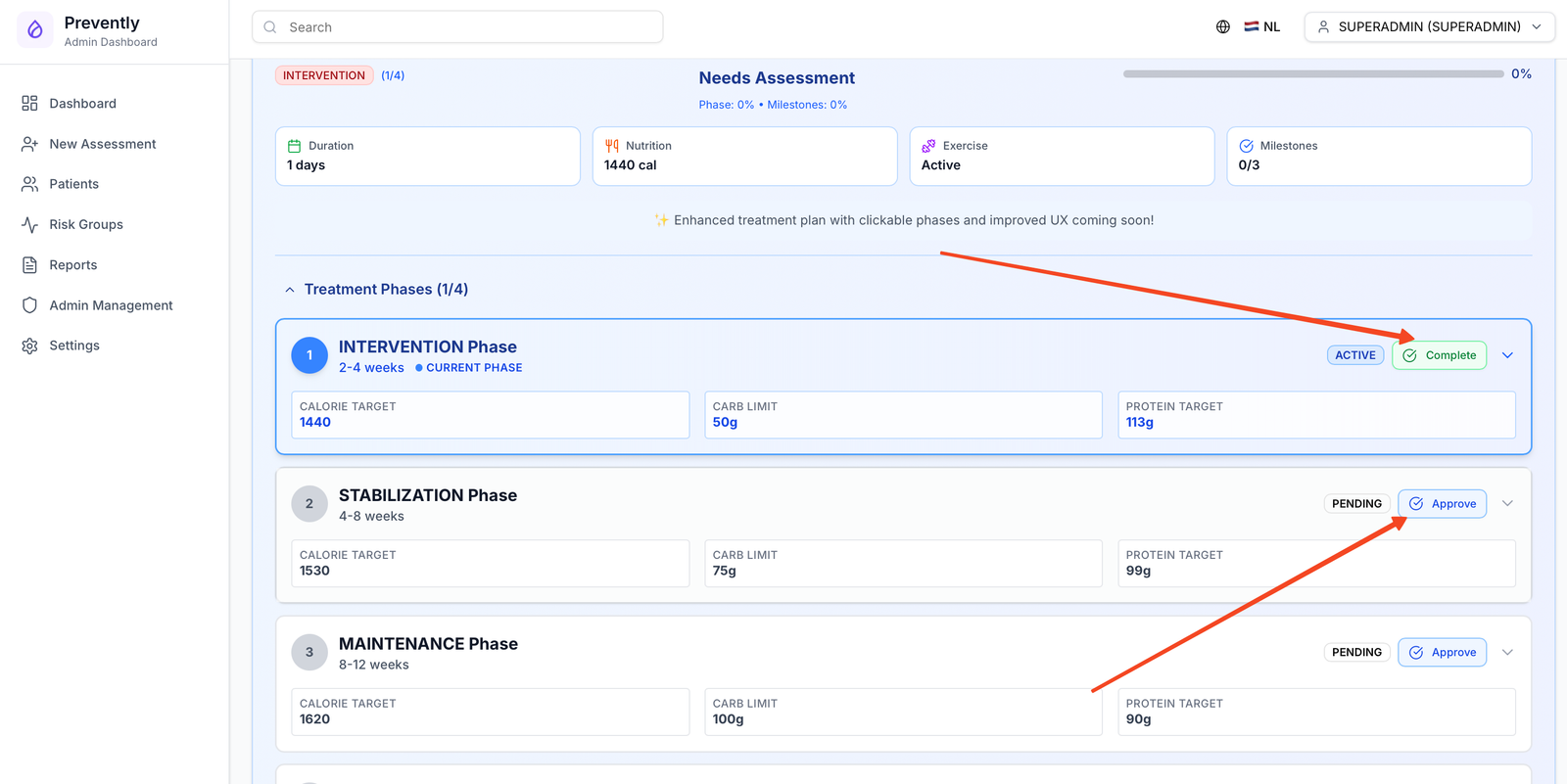
Screenshot: Doctor activating treatment plan and setting up personalized nutrition and exercise goals
- Activate Treatment Plan: Doctor enables full treatment plan based on 14-day insights
- Nutrition Goals: Set specific dietary targets:
- Caloric intake: 2000 kcal/day
- Carbohydrate limit: 150g/day
- Fiber target: 35g/day
- Meal timing: 3 meals + 2 snacks
- Exercise Prescription: Personalized activity plan:
- Cardio: 150 minutes/week moderate intensity
- Strength training: 2 sessions/week
- Daily steps: 8,000 minimum
- Post-meal walks: 10-15 minutes
- Monitoring Schedule: Set up regular check-ins:
- Weekly virtual consultations
- Monthly in-person visits
- Quarterly comprehensive assessments
- App Integration: Goals sync automatically to John's mobile app
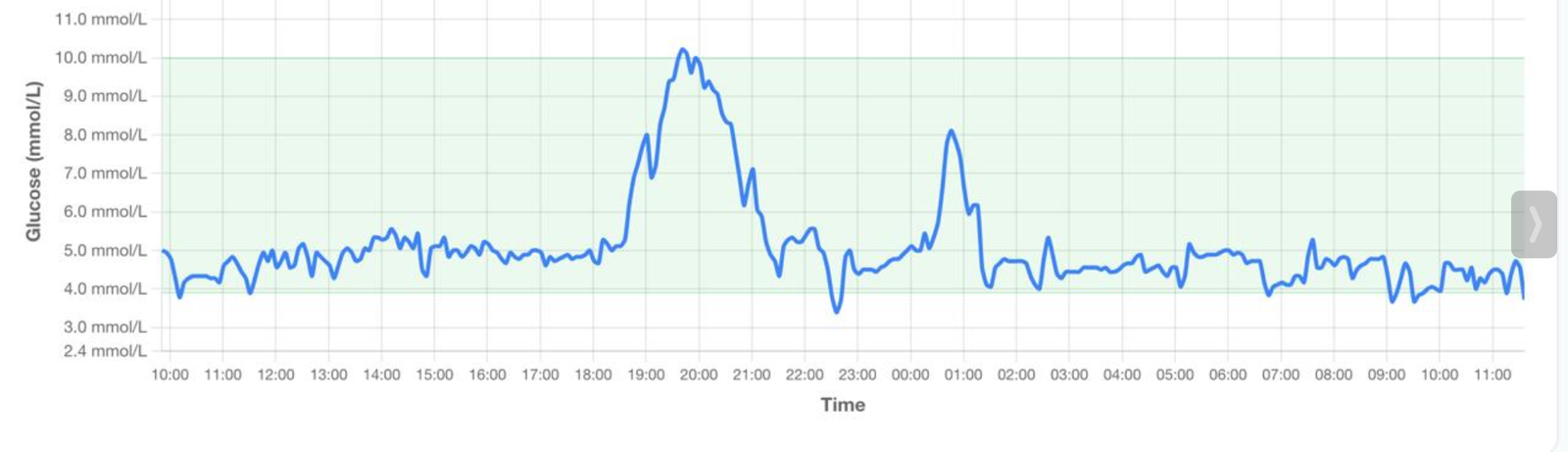
Screenshot: Doctor monitoring long-term patient progress with continuous glucose data and treatment adherence metrics
- Continuous Monitoring: Doctor tracks John's progress through admin dashboard
- Weekly Reviews: AI generates weekly progress reports highlighting:
- Glucose trend analysis
- Goal achievement rates
- Lifestyle adherence scores
- Risk factor improvements
- Plan Adjustments: AI suggests treatment modifications based on ongoing data
- Long-term Outcomes: Track progression toward diabetes prevention goals
🎉 Success Metrics: After 3 months, John achieves 8kg weight loss, 85% time-in-range glucose control, and significant diabetes risk reduction.
🏆 Complete Patient Journey Success
This comprehensive workflow demonstrates how Preventely integrates traditional healthcare with cutting-edge technology to deliver personalized diabetes prevention care.
📊 Clinical Outcomes
- ✅ Risk assessment completed
- ✅ Patient engaged in care
- ✅ Continuous monitoring active
- ✅ AI-driven insights delivered
🎯 Patient Benefits
- ✅ Personalized treatment plan
- ✅ Real-time glucose monitoring
- ✅ Mobile app support
- ✅ Lifestyle modification guidance
🏥 Healthcare Efficiency
- ✅ Automated risk assessment
- ✅ AI-powered insights
- ✅ Remote monitoring capability
- ✅ Evidence-based interventions
Preventely: Transforming Diabetes Prevention Through Technology